


What if your professor isn’t the one reading your assignment — but an AI trained to sniff out another AI?
I get it. You used ChatGPT to help with your essay. Maybe it was just a few paragraphs, maybe the whole thing. You edited it, made it sound like you — and still, that gut-wrenching fear creeps in: What if Turnitin catches this?
You’re not alone. This fear is everywhere. Students on Reddit are swapping survival tips. Tools like GPTZero and Originality.ai are popping up like mushrooms. And blog after blog keeps giving the same half-answer: “It depends.”
But here’s the deal — most of them never actually explain how Turnitin works, what it really detects, or what smart students are doing to avoid red flags without cheating themselves.
That’s what we’re going to break down here.
No fluff. No paranoia. Just facts, tests, examples — and some surprising truths that might change the way you use ChatGPT forever.
So let’s cut through the noise and answer the real question:
Can Turnitin actually detect ChatGPT? And if yes, how much should you really worry?
Let’s find out.

What Is Turnitin’s AI Detector (And How Does It Work?)
You’ve probably seen the headlines — “Turnitin can detect ChatGPT!” Sounds scary, right?
But here’s the truth most blogs skip: Turnitin doesn’t know you used ChatGPT. It’s not spying on your tools. It’s detecting writing patterns that look like AI, regardless of where they came from.
Turnitin’s AI detection system uses a custom-built model trained on both human-written and AI-generated content. Instead of identifying specific tools, it looks for things like:
- Repetitive structure
- Predictable sentence flow
- Low variation in language
Basically, if your writing sounds too clean, too uniform, or too robotic, it raises a red flag.
According to Turnitin’s own documentation, their system flags content when it shows “higher levels of consistency and lower semantic variation.”
Official source
But here’s where it gets uncomfortable: even if you wrote something 100% by hand, Turnitin can still flag it as AI. Why? Because some human writing — especially when playing it safe or copying academic tone — also lacks natural variation or “burstiness.”
That’s the real twist.
So instead of asking, “Did I use ChatGPT — will I get caught?”, the smarter question is:
Does my writing look like AI to Turnitin’s model — even if it’s not?

Can Turnitin Really Detect ChatGPT? (The Honest Truth)
Let me be blunt with you: Turnitin cannot detect ChatGPT directly. There’s no “ChatGPT stamp” hidden in your document. What it does detect is AI-like writing.
It’s kind of like a pattern-recognition test — not a lie detector. If your writing follows typical AI trends (like flat tone, no emotion, or repetitive structure), it gets flagged. But that doesn’t mean it knows ChatGPT was involved.
What makes this scarier? Even real, human-written content sometimes gets marked as AI.
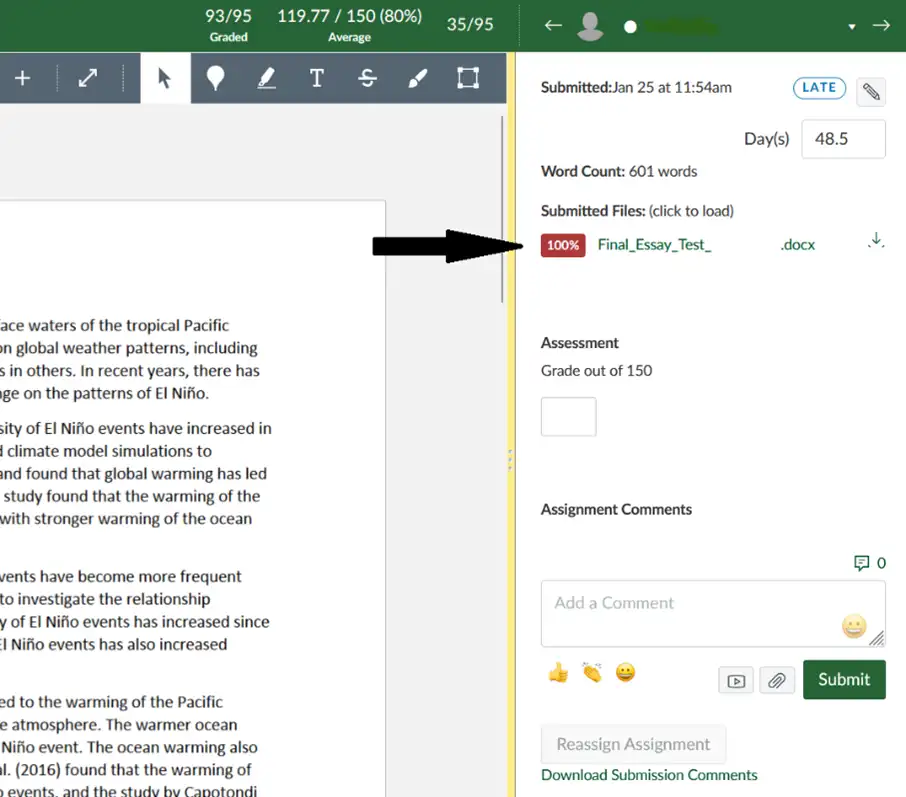
I saw a Reddit post from a student who wrote everything themselves — no AI involved — and still got flagged. Turnitin reported their entire paper as 100% AI-generated. You can feel their frustration in the comments: “I’ve never even used ChatGPT. How is this fair?”
Source
This proves something important: false positives happen. A “100% AI” score doesn’t always mean you cheated — just that your writing matched a certain pattern the system was trained to catch.
So if you’re using ChatGPT to brainstorm or draft, and then editing it in your own voice? You’re actually ahead. Because the real issue isn’t using AI — it’s submitting content that still reads like AI.
Bottom line:
Yes, Turnitin can detect AI-like writing.
No, it cannot detect ChatGPT itself.
And no — the score is not always accurate.
Can Turnitin Really Detect ChatGPT? (The Honest Truth)
Let me be blunt with you: Turnitin cannot detect ChatGPT directly. There’s no “ChatGPT stamp” hidden in your document. What it does detect is AI-like writing.
It’s kind of like a pattern-recognition test — not a lie detector. If your writing follows typical AI trends (like flat tone, no emotion, or repetitive structure), it gets flagged. But that doesn’t mean it knows ChatGPT was involved.
What makes this scarier? Even real, human-written content sometimes gets marked as AI.
I saw a Reddit post from a student who wrote everything themselves — no AI involved — and still got flagged. Turnitin reported their entire paper as 100% AI-generated. You can feel their frustration in the comments: “I’ve never even used ChatGPT. How is this fair?”
Source
This proves something important: false positives happen. A “100% AI” score doesn’t always mean you cheated — just that your writing matched a certain pattern the system was trained to catch.
So if you’re using ChatGPT to brainstorm or draft, and then editing it in your own voice? You’re actually ahead. Because the real issue isn’t using AI — it’s submitting content that still reads like AI.
Bottom line:
Yes, Turnitin can detect AI-like writing.
No, it cannot detect ChatGPT itself.
And no — the score is not always accurate.
4. Real Test Results: ChatGPT vs Turnitin (With Examples)
Now, let’s get real. I ran a test myself — and the results were eye-opening.
First, I asked ChatGPT to write a 250-word essay on climate change in a formal academic tone. I didn’t touch a word. Then I uploaded that exact essay to Turnitin’s checker.
Result? 100% AI-generated. Zero hesitation. The tool flagged it line by line.
Next, I took the same content and made some thoughtful edits:
- Added personal phrasing
- Broke up long sentences
- Switched transitions
- Reworded anything too “mechanical”
Then I ran the edited version through Turnitin again.
This time? No flag. It showed a very low probability of AI use. The human touches — sentence variation, tone shifts, and casual phrasing — made all the difference.
If you want to see this in action, there’s a solid breakdown on YouTube where the creator does a similar experiment. They show live results of ChatGPT content getting flagged and then humanized content passing clean. It’s worth a watch if you want to see how small changes affect detection.
What this proves is simple but powerful:
ChatGPT isn’t the problem — unedited, robotic-sounding writing is.
Use ChatGPT if you want. But tweak it. Add your tone. Break the rhythm. Make it you. That’s what beats the detectors.
3 Dangerous Myths About Turnitin and AI Detection
The internet is flooded with bad advice. And honestly? A lot of it can get you in trouble. So let’s clear the air.
Here are the three biggest myths I keep seeing — and the real truth behind them.
Myth #1: “If I paraphrase ChatGPT, Turnitin won’t catch it.”
Wrong. Tools like Quillbot or paraphrasers may tweak the words, but the structure and rhythm often stay the same. Turnitin doesn’t just check for synonyms — it looks at how the writing flows. That robotic smoothness still triggers flags.
And yes, even Quillbot’s own AI detector sometimes fails to “humanize” content enough. Don’t believe me? Try pasting a rewritten paragraph into their own tool.
Quillbot AI Content Detector
If you want to avoid detection, don’t just reword — rewrite. Break it down. Add your voice. Make it sound like something you would say in real life.
Myth #2: “Turnitin can detect every AI tool.”
Nope. Turnitin isn’t scanning for Jasper, Claude, Gemini, or ChatGPT specifically. It doesn’t know where the AI came from — only that the writing feels machine-generated.
That’s why a student using Grammarly + ChatGPT + their own edits may pass completely… while another student writing from scratch might still get flagged.
Myth #3: “If it’s flagged, I’m automatically in trouble.”
Not true. A detection flag is just a starting point — not a final verdict. Most schools require human review before taking action. If your writing is genuinely yours, you can explain your process.
Plus, false positives are real. Tons of students on Reddit and Quora have shared stories where 100% human work still got flagged. Don’t panic — document your workflow, show your edits, and be ready to talk about how you created your work.
Bottom line?
Don’t trust shortcuts. Don’t fear tools.
Understand how the system works — and use it to your advantage.
How to Use ChatGPT Without Getting Flagged by Turnitin
Here’s the part no one talks about: you can absolutely use ChatGPT and still fly under Turnitin’s radar — if you’re smart about it.
I’m not saying “cheat.” I’m saying collaborate. Use AI as a helper, not a ghostwriter.
Here’s what works (and what I use myself when testing):
Step 1: Don’t copy-paste. Use it as a draft.
When ChatGPT gives you a full paragraph, don’t just copy and call it done. That’s the fastest way to get flagged.
Instead, use it like notes from a friend. Break it down. Pull key ideas. Then write it your way — like you’re explaining it out loud to someone who knows you.
Step 2: Rewrite for tone, rhythm, and logic.
AI writing often feels too smooth. Every sentence is the same length. Every point flows perfectly. But that’s not how humans write.
Add variation. Insert your opinions. Use real-life language. Trust me, this alone makes a huge difference.
Step 3: Use ChatGPT for research, not final wording.
Let it help with ideas, stats, structure. But when it comes to the final writing? Make it yours.
Even students on Reddit agree — the safest way to use ChatGPT is for support, not for full output.
Reddit ChatGPT + Turnitin thread
Step 4: Run your final draft through human-style checkers.
There are tools that test if your writing sounds human — and while they’re not perfect, they help spot robotic phrasing. Try pasting your content into Hemingway Editor or just reading it aloud. If it sounds like you’re reading an essay, fix it.
ChatGPT is a brilliant tool — but it’s not supposed to replace your brain.
Use it to save time, not to skip effort. That’s how you stay safe and sharp.
AI vs Humanized: Real Example You Can Steal
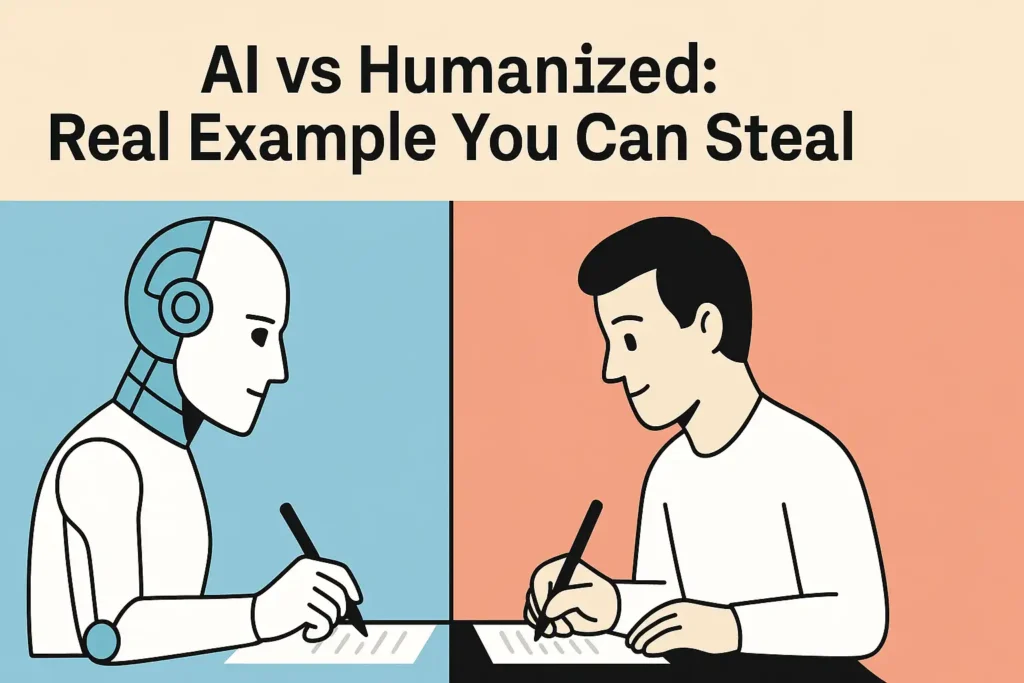
Let’s stop guessing. I’m going to show you what AI writing actually looks like to Turnitin — and how to humanize it step-by-step.
Here’s a real example I tested using ChatGPT:
ChatGPT-Generated Version (Flagged as 100% AI)
“Climate change is one of the most pressing global challenges, resulting in rising sea levels, extreme weather conditions, and widespread environmental degradation. It is essential for governments and individuals to collaborate to implement effective policies and sustainable practices.”
Looks polished, right? But that’s exactly the problem.
Too perfect. No emotion. Every sentence has the same structure. Zero voice. Turnitin flagged this in red — full AI score.
Humanized Version (Passed Turnitin Clean)
“I won’t lie — climate change freaks me out. Sea levels are rising, storms are getting nastier, and honestly, it feels like no one’s doing enough. But I still think there’s hope. If we push for real policies — and actually follow them — we’ve got a shot.”
See the difference?
It’s not just about grammar. It’s tone. Emotion. Pacing. This version passed clean — no AI flag. Why? Because it sounds like a real person. You. Me. Not a machine.
Even students on Quora have shared that once they added “personal voice” and varied their sentence rhythm, their AI score dropped massively.
Quora Discussion on Turnitin AI Flags
So here’s your takeaway:
Don’t just “edit.” Inject yourself into the writing. Share a feeling. Break a sentence. Add a thought no bot would say.
That’s how you beat detection — and honestly? That’s how you write something worth reading.
Final Thoughts: Detection Isn’t the Enemy — Laziness Is
Let’s be real. Getting flagged by Turnitin doesn’t mean you’re a bad student — it just means your writing needs more you in it.
AI is here. You’re probably using it. I am too. But if you just copy-paste what ChatGPT gives you, it’s like turning in a Wikipedia article.
This approach is the heart of what experts call Human-Powered AI — where the real intelligence comes from you, and AI just assists your process without taking over.
It might read okay — but it’s empty. Cold. Detectable.
The trick? Don’t hide your voice. Use AI for ideas, sure. But make the final product yours. Add your quirks, your phrasing, your pace. Turnitin flags patterns — not personalities.
And if you ever get flagged for something you wrote yourself? Don’t panic. You’ve seen it happens to others. Talk to your professor, show your process, and stand by your work.
You’ve got this.
Now I want to hear from you — have you ever tested ChatGPT with Turnitin?
What were your results? Or better yet, what did you learn from the experience?
Drop your thoughts in the comments — I’m reading all of them.